 Mo Explains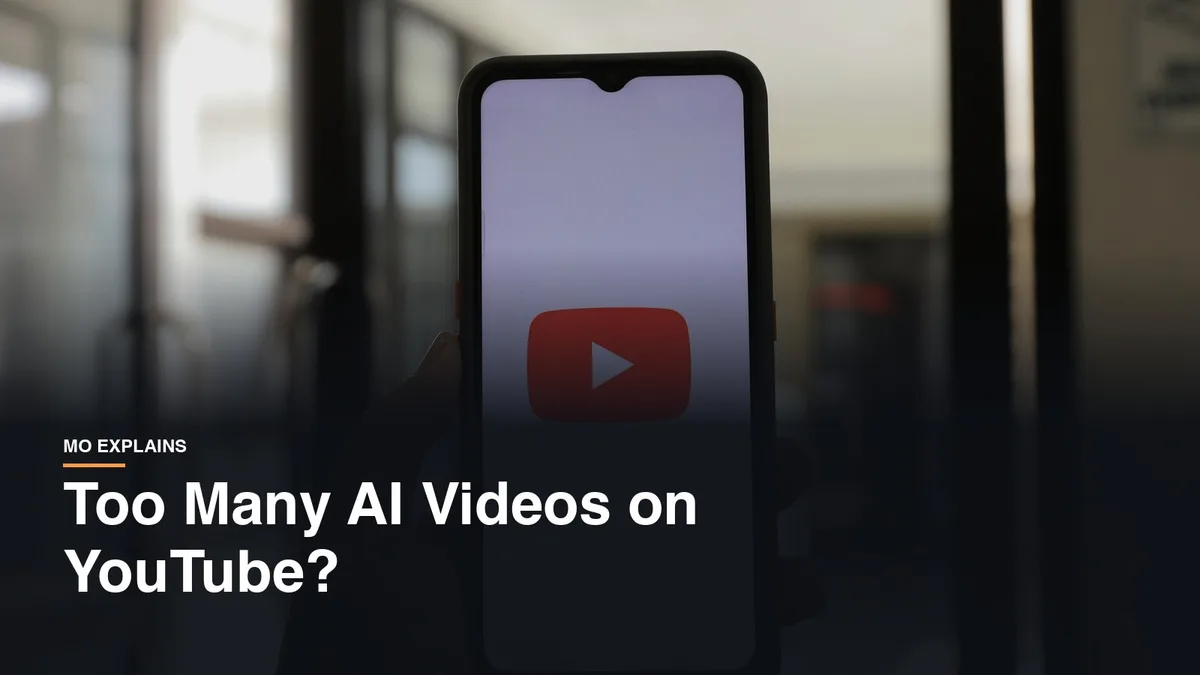
Last updated: 2026-10-11
I watch more YouTube than TV, and most of it is me trying to learn something. Authors talking about how to be a better author, book editors walking through the mistakes people make writing fiction, a Short on how to make a smash burger. The entertainment part is small, maybe five to seven minutes of breaks for every hour of work.
So my problem with AI video is the AI in the stuff I'm learning from. If the smash burger video is AI, it might be right. It might also be wrong, because no real person ever stood at a griddle and did it. Same with the "look how simple it is to build this gate around your house" videos. When I need something that runs on trust between two people, I don't want AI in the middle.

If you want AI gone from your feed completely, here's how close you can get, and how to catch the ones that slip past.
Is there a setting to stop AI videos on YouTube?
No. YouTube's help pages don't describe any filter or toggle that hides AI-generated videos. What YouTube has is a label, and in its May 2026 announcement it said "a disclosure label alone does not change how a video is recommended or whether it's eligible to earn money."
So the label tells you what you're looking at, and it doesn't keep those videos out of your feed. That part is on you.
How to stop AI videos on YouTube from your feed
Use Not interested on the video and Don't recommend channel on the channel. Here's how it works on a computer, according to YouTube's help page on managing recommendations:
- Click More next to the video's title and choose Not interested.
- Click Tell us why and pick "I don't like the video" if you want to give a reason.
- To block the channel, click More next to one of its videos on Home or Watch Next and choose Don't recommend channel.
On a TV, you press and hold the select button on a video and choose Not interested, and Tell us why has Don't recommend channel in it. YouTube's help page only lists the computer and TV steps, so on your phone, start with the three-dot menu next to the video and look for the same two options.
If AI Shorts are the real problem, the app lets you cut Shorts back on Home. Scroll to a grid of Shorts, tap More at the top of it, and tap Show fewer Shorts.
You can also report a video. On Android, you tap More under the video, then Report, per YouTube's reporting help page. That page doesn't list AI as a report reason, so save reporting for videos that actually break the rules, like a fake clip of a real person.
Where YouTube's AI label shows up
On regular videos, the label sits right below the player, above the description. On Shorts, it shows up as an overlay on the video itself. That's from the same YouTube announcement, and it applies to "photorealistic and meaningfully AI altered or generated content."
For stuff that's obviously not real, animated or only slightly edited, the label is tucked into the expanded description instead. Open the description and look for a section called How this was made. Instagram does something similar with its AI-generated profile label.
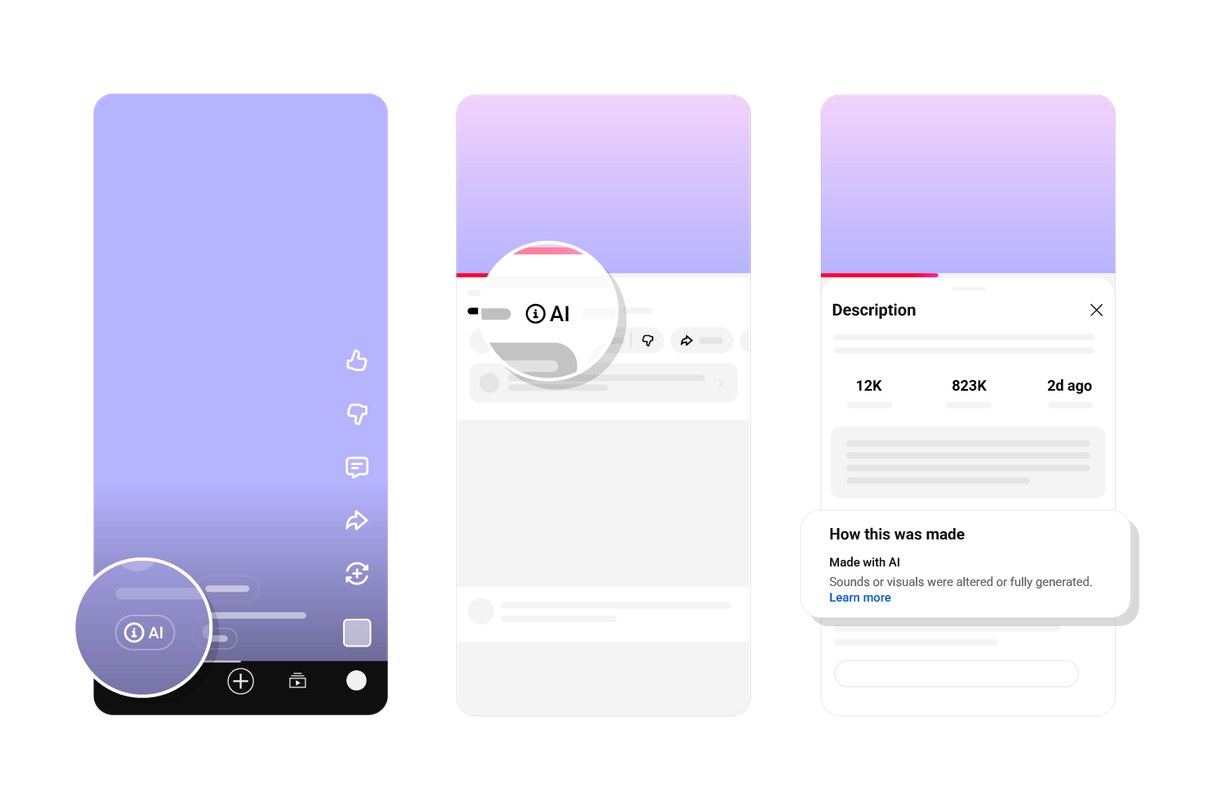
YouTube's disclosure help page says creators have to disclose realistic AI that makes a real person say or do something they didn't, alters footage of a real event or place, or shows a realistic scene that never happened. Since May 2026, YouTube also adds the label on its own when its systems detect "significant photorealistic AI use" and the creator didn't say either way, Tubefilter reported.
How to tell when a YouTube video is AI
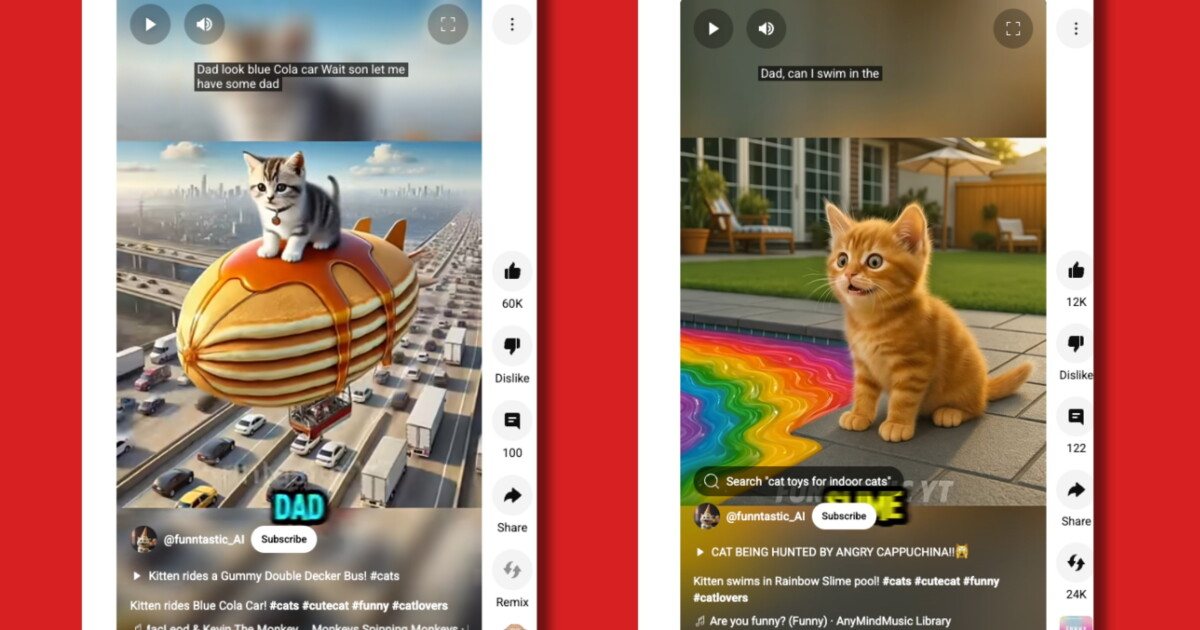
Look for a few signs together, because no single one proves anything. It's a lot like spotting AI fake images, just moving. Some of it is easy to spot, like the AI kitten Shorts NPR reported on, where a kitten rides a gummy double-decker bus through highway traffic.
These come from PCWorld's guide to spotting AI video:
- Text in the background turns into a jumble of letters when you look closely, on signs or walls or packaging.
- Hands and faces flicker or bend wrong, and movements stop short or get jerky.
- The physics are off, like clothes blowing the wrong way in the wind or feet that don't quite touch the ground.
- The audio is too clean, with no room echo or background noise, or the mouth doesn't match the words.
- The description says something like "Audio or visual content has been heavily edited or digitally generated."
For how-to videos, there's one more check that matters. Is there a real person in it, actually doing the thing, with real hands on the griddle or the gate? If nobody ever shows up, you don't know that anybody ever tried it.
Not every AI video is slop
I do watch AI videos for fun, and some of them are funny or interesting. My favorite was a live-action "real life Static Shock" video. I watched that cartoon as a kid, so seeing it come to life was amazing. It wasn't slop either. You could tell they took their time. There weren't a lot of hallucinations, and it was done really well.
I couldn't track that one down again, but here's another AI video I watched that looks real. It's a sci-fi short called Nightborne from Barley Studios, and it's fully AI. You'd have to look close and really know what you're looking for to tell. Watching it got me excited about the future.
So for me it comes down to one question. Am I trusting this video to teach me something?
What YouTube is doing about AI slop
YouTube's CEO, Neal Mohan, said in his letter at the start of 2026 that YouTube wants "to reduce the spread of low quality AI content." By late January, a Kapwing report found at least 18 AI slop channels had been deleted or had their videos hidden, including one that pulled in more than 1.2 billion views, according to Tubefilter.
Tubefilter's read in May was that the problem isn't solved, because those channels pop up faster than YouTube can deal with them.
The honest limits
None of this gets you to zero. There's no AI filter, labels mostly depend on creators telling the truth, and automatic detection only goes after significant photorealistic AI. A video without a label isn't proven real.
The closest thing to proof of real footage is YouTube's "Captured with a camera" label. It only appears when the creator filmed with gear that supports the C2PA standard and didn't edit the footage, so a missing one doesn't mean anything was faked.
Block the junk channels and keep an eye on the label. And if you're about to actually cook or build something, find a real person who did it first.
Related reading: How to spot AI fake images | Instagram's AI-generated profile label | How to turn off Google AI Mode | New to AI? Start here