 Mo Explains
Last updated: 2026-10-12
I've got some AI songs in my rotation and in my playlists right now. One of my favorites is a mashup of Freddie Jackson singing Migos' "Bad and Boujee." Freddie Jackson is the 80s R&B singer I grew up listening to, because my mother played him. It's slow and melodic, very late 80s, early 90s. It amazes me because it takes two things I already like and makes something fresh out of them. I know going in that it's AI, and I take it for what it is. That kind of mashup uses a real singer's voice, though, and Spotify's new badge is aimed at something else: artists who aren't real people at all.
I want to know what I'm listening to. I think a lot of people feel duped when they find out mid-listen that a Spotify artist they've been playing isn't a real person. They probably liked the song at first. Finding out changes the dynamic.
So what I want is to be able to see it.
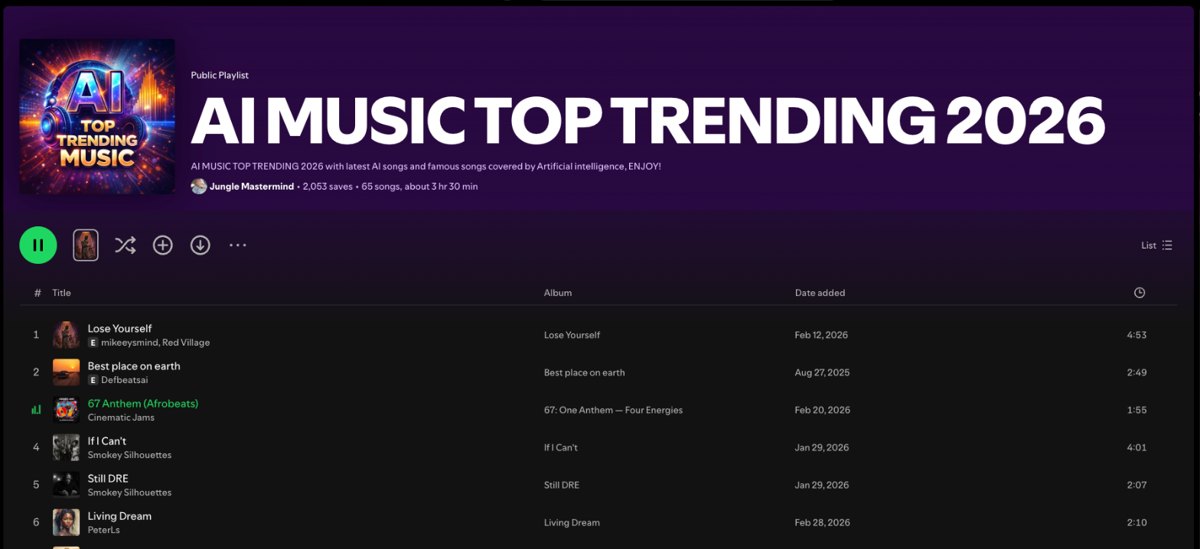
And there's a lot of it out there. One public playlist called AI MUSIC TOP TRENDING 2026 has 65 songs and more than 2,000 saves, and it's full of the same kind of thing I like: "Beat It" as vintage country, "Hotline Bling" as a 1950s Motown gospel choir, "21 Questions" as a soul cover.
Below is how to tell if a song is AI on Spotify, and if you don't want AI music at all, how to keep it out of your ears.
What is Spotify's AI Persona badge?
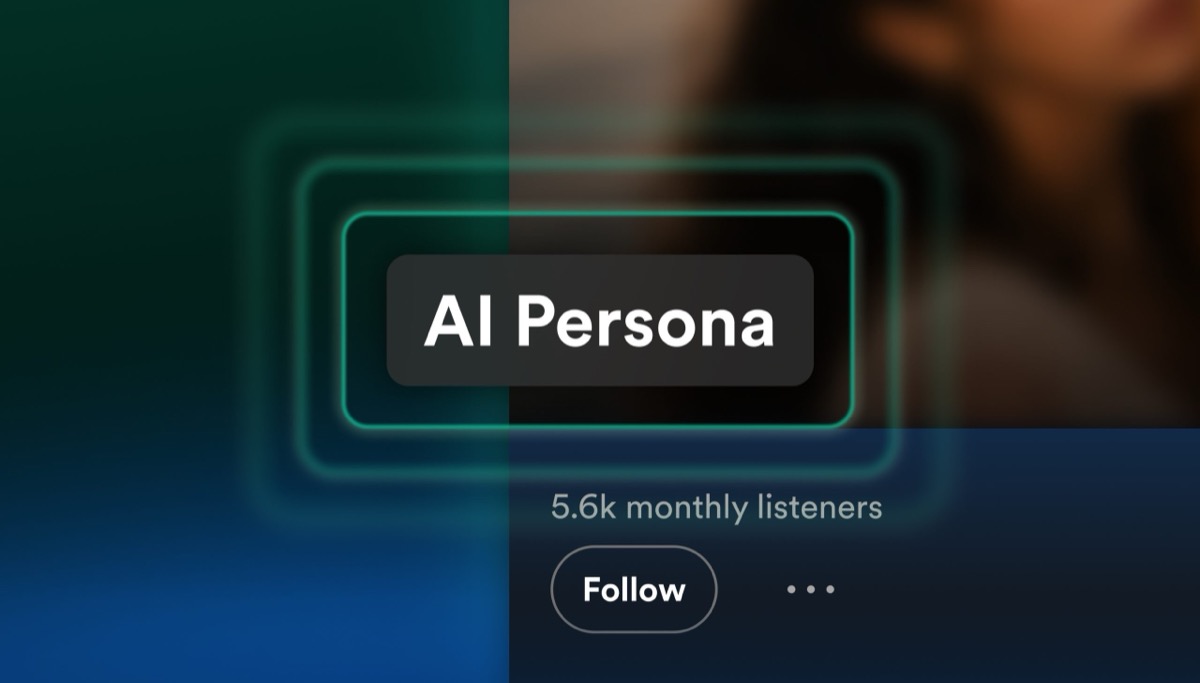
It's a label Spotify puts on artist profiles whose name and images represent an AI-generated identity instead of a real person. Spotify announced it on August 11, 2026, and the badges started showing up in mid-September.
Spotify's own explanation lines up with that duped feeling. The company wrote that "listeners have been clear in telling us that they don't like seeing an artist profile that seems human, only to find out that the persona is AI-generated."
There are two versions, according to Spotify's artist help page. "AI persona" means the artist chose to identify that way through Spotify for Artists. "Likely AI Persona" means Spotify reviewed the profile and decided it represents an AI-generated identity. Spotify says it "won't rely on self-disclosure alone," and it started its reviews with artists that met defined audience thresholds, so the bigger profiles get checked first. Artists who get flagged can appeal. Instagram is doing something similar with its own label for AI-generated profiles.
Where the AI label shows up on Spotify
You'll find it on the artist's profile and in search, with playlists on the way. Spotify's listener help page puts the badge at the top of the artist profile, inside the expanded Artist Details, and on the artist card in search results. Track rows in playlists are listed there as coming soon, even though the original announcement included them, so depending on your app you may only see it on the profile for now.
If you do see one, tap it. The help page says it'll tell you whether the artist disclosed it themselves or Spotify reviewed the profile and made the call.
What the AI Persona label doesn't catch
That leaves gaps, and Spotify's announcement says so itself: "This badge is about the artist's public identity, not about how the music was made."
So a real singer who leans on AI for a track won't get a badge, and an AI track from a human-looking profile that nobody has reviewed carries nothing at all. And because reviews started with bigger audiences, smaller AI profiles can go unlabeled for a while.
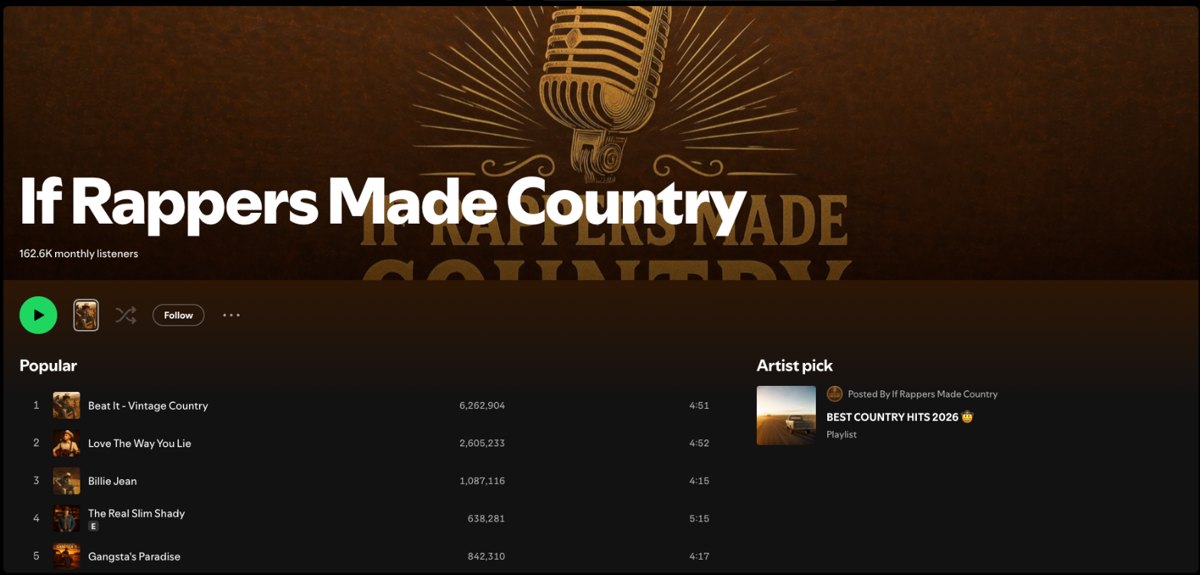
I found one of these on that same playlist. The artist behind "Beat It - Vintage Country" on that playlist goes by If Rappers Made Country, and it has about 162,000 monthly listeners. Its "Beat It" track alone has over 6.2 million plays. Spotify lists playlists like AI Dark Country Covers under where listeners discovered it, but when I checked on October 12, the profile had no AI badge and its bio said nothing about AI.
For the how-it-was-made side, Spotify points to AI credits. Those show when a specific part of a track, like the vocals, was generated with AI. They're optional, they only appear in song credits and the Now Playing view, and they're visible on mobile only while in beta. They build on the DDEX disclosure standard Spotify said it would support back in September 2025. If you're curious how these songs get made in the first place, I wrote up what Suno and Udio actually let you do.
How to tell if a song is AI when there's no badge
Without a badge you can't know for sure, but a couple of checks help. Start with the song credits on your phone and look for an AI credit. Then look at the artist profile the way Spotify's reviewers do, which is asking whether the name and photos look like a photorealistic AI-generated identity.
After that, search for the artist outside Spotify. That's how The Velvet Sundown came apart in 2025. The "band" passed a million monthly listeners, Digital Music News reported, while none of its listed members could be found anywhere online. The project later updated its Spotify bio to call itself "a synthetic music project guided by human creative direction," Rolling Stone reported.
Can you turn off AI music on Spotify?
No, there's no on/off switch. Neither the announcement nor Spotify's help pages describe any listener setting for AI music. What Spotify does instead is leave labeled AI Persona artists out of every editorial and algorithmic recommendation by default. The music stays on the platform, though, and if you follow one of those artists, their songs can come back into your recommendations.
Some platforms went further. Bandcamp banned AI-generated music back in January.
How to keep AI songs out of your Spotify
Use the controls Spotify already has, because there isn't an AI-specific one yet.
To skip a song in a playlist made by Spotify or another user, tap the three dots next to it and pick Hide this song, per Spotify's hide and unhide help page. That same page has a longer option, where you tap Hide in this playlist and then Don't suggest this song anywhere for 30 days.
To stop a track from shaping your recommendations, tap the three dots and choose Exclude track from your taste profile. Spotify's taste profile help page says it takes effect within 48 hours. And if you followed a labeled artist before you knew, unfollow them, since following is what lets them back into your recommendations.
Spotify added a "Don't play this artist" option on mobile in 2019, according to Engadget, but I couldn't find it on Spotify's current help pages, so I'm not going to guess at the steps.
What the label still can't do
The rollout is slow, and the badge covers the artist instead of the song. The listener reporting tool Spotify promised hasn't shipped yet either. In August, Spotify said only that it would let listeners report suspected AI Persona profiles "in the coming months." The company also told the Los Angeles Times, in a story carried by the News Tribune, that "we know the music ecosystem is evolving, and so will our approach," so expect these rules to change.
I don't believe AI will ever make something like Interstellar, or Stevie Wonder's "Ribbon in the Sky." But I can still enjoy what it does make, as long as I know what I'm listening to.
Related reading: AI music generators: Suno, Udio and what you keep | Bandcamp bans AI music | Instagram's label for AI-generated profiles | New to AI? Start here